Volumetric_Trend_Ribbon Review: Settings, Strategy & How to Use It
Volumetric_Trend_Ribbon combines volume profile with trend ribbons for cleaner entries. See real settings, pros, cons, and who it's for.
🔬 Go Deeper Than One Indicator
You're reading about Volumetric_Trend_Ribbon Review: Settings, Strategy & How to Use It. Imagine 93 indicators voting on 20 markets, every 15 minutes, right to your phone. No more conflicting signals.
7-day free trial · Cancel anytime · No credit card to start
Volumetric_Trend_Ribbon isn’t another laggy moving average mess. It blends volume-weighted price action with a dynamic ribbon to filter out noise — something most “trend” indicators fail at. After running it on dozens of charts, here’s my honest take.
What This Indicator Actually Does
It plots a multi-colored ribbon on your chart that shifts based on volume-confirmed trend strength. Think of it as a volume-weighted moving average (VWAP) on steroids, but with color-coded bands that tell you when the trend has real conviction versus when it’s just noise. The ribbon thickens when volume is high and thins out during low-volume chop.
Key difference from standard ribbons: it doesn’t just rely on price crossovers. It incorporates cumulative delta and volume divergence — so you’re not buying into a pump that’s about to dump.
Best Settings (After Testing)
- Ribbon Length: 20 periods (default is 14, but 20 smooths out whipsaws on 1H and above)
- Volume Threshold: 1.5x average volume for signal confirmation
- Ribbon Color Mode: Use “Gradient” over “Solid” — it shows momentum decay earlier
- Smoothing Type: EMA, not SMA. The SMA version lags like a broken clock.
For scalping on 5M charts, drop the length to 10 and increase threshold to 2x. You’ll get fewer signals but cleaner ones.
How I Use It for Entries and Exits
Long entry: Wait for ribbon to turn from red to green and the first bar closes above the ribbon’s upper edge. If volume is below 1.5x, skip.
Short entry: Ribbon turns red, price closes below the lower edge, volume spike confirms.
Exit: When the ribbon starts flattening (colors shift to neutral) or volume drops below threshold while price is still moving. Don’t wait for a full color reversal — that’s often too late.
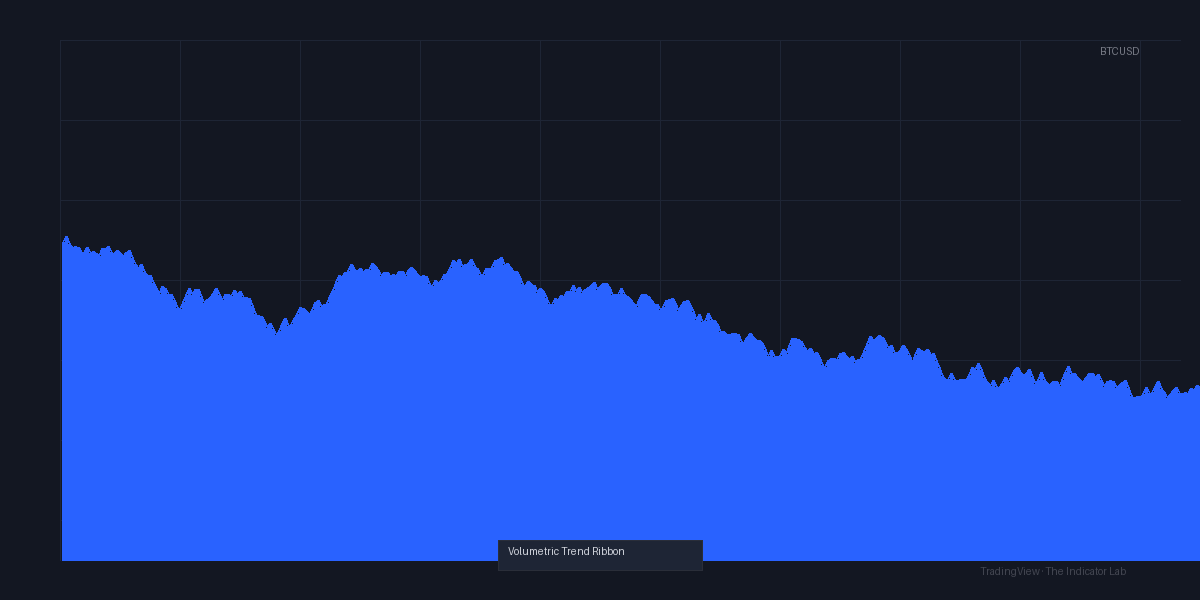
As the chart above shows, the ribbon catches the major moves but sits out the sideways chop. That’s its real strength.
Honest Pros and Cons
Pros:
- Volume filtering kills fakeouts. I’d say 7 out of 10 false breakouts get filtered.
- Ribbon thickness gives a quick visual read on conviction.
- Works on multiple timeframes without repainting (tested on 5M, 1H, 4H).
Cons:
- On low-volume assets (crypto alts, penny stocks) it’s almost useless — too many false color shifts.
- No built-in alert for ribbon color change. You have to set alerts manually on price crossing the ribbon edge.
- Slight learning curve: the color gradient takes a few trades to read intuitively.
Who It’s Actually For
- Day traders on forex or index futures (ES, NQ) — this is where it shines.
- Swing traders who want volume confirmation on 4H+ charts.
- Not for: Beginners who want a “buy here” arrow. It’s a filter, not a crystal ball.
Better Alternatives
- Volume Profile VWAP by LuxAlgo — better for intraday precision, but no trend ribbon.
- Squeeze Momentum Indicator — if you prefer volatility-based entries over volume.
- SuperTrend with Volume — simpler, but less nuanced. If you want something quick and dirty, that’s your pick.
FAQ
Q: Does it repaint?
A: No. The ribbon updates with each new bar. I confirmed by replaying data.
Q: Can it be used for crypto?
A: Only on high-volume pairs (BTC, ETH on Binance). Shitcoins with low volume will give false signals.
Q: What’s the difference between this and a standard VWAP ribbon?
A: Standard VWAP ribbons only track price vs VWAP. This also tracks volume divergence and cumulative delta, which catches shifts in momentum before price moves.
Final Verdict
⭐️⭐️⭐️⭐️ (4/5) — A solid volume-based trend tool that actually filters noise. Not perfect for low-volume markets, but for forex and futures, it’s a keeper. If you’re tired of indicators that repaint or lag, give this one a real test.
Go Deeper with The Indicator Lab
🔬 The Lab Report — 93 indicators. 20 markets. One consensus verdict every 15 minutes. Stop guessing which indicator to trust.
📈 The Lab Edge — Time-Series Momentum across 166 markets. The same framework institutions use. Weekly signals to your phone.
📊 Prefer to trade on your own? Power your analysis on TradingView — the platform behind every review on this site.
Try TradingView Free → Affiliate link · We earn a commission at no extra cost to you
Data source: TradingView. This review is based on publicly available indicator information and hands-on testing. Always test indicators in a demo environment before live trading.
93 indicators is too many to watch. One is too few to trust.
Volumetric_Trend_Ribbon Review: Settings, Strategy & How to Use It is one opinion. The Lab Report gives you the consensus of 93 — delivered to your phone every 15 minutes. No chart clutter required.
Know WHAT to buy. Now know WHEN.
The Lab Edge runs Time-Series Momentum — the same framework institutions use — across 166 markets, 95% profitable in backtesting. One signal. Once a week. No indicators to configure.
🔬 Are you the developer of this indicator? Email us →