Rate Of Change Review: Settings, Strategy & How to Use It
A momentum oscillator that measures the speed of price change. Solid for identifying overbought/oversold conditions and divergences across any timeframe.
🔬 Go Deeper Than One Indicator
You're reading about Rate Of Change Review: Settings, Strategy & How to Use It. Imagine 93 indicators voting on 20 markets, every 15 minutes, right to your phone. No more conflicting signals.
7-day free trial · Cancel anytime · No credit card to start
Rate of Change (ROC) is one of those “old but gold” momentum oscillators that’s been around since before most of us were trading. It’s simple: it measures the percentage change in price over a set number of periods. No smoothing, no lag—just raw velocity of price movement.
I’ve been using ROC for years, mostly as a divergence tool and a quick way to spot when momentum is accelerating or dying. Let me break down what it actually does on the chart, how to set it up, and where it falls short.
What This Indicator Actually Does
The ROC line oscillates above and below a zero centerline. When it’s above zero, price is rising relative to the lookback period. Below zero, price is falling. The further from zero, the stronger the momentum—but extreme readings often warn of exhaustion.
The default 12-period setting works fine, but I’ll show you why I tweak it.
Key Features That Set It Apart
- No smoothing. Unlike RSI or Stochastics, ROC doesn’t average anything. It’s pure raw momentum. This makes it more responsive to sudden price shifts.
- Zero-line cross. A clean, objective signal. Cross above zero = bullish. Cross below = bearish. No overbought/oversold thresholds to second-guess.
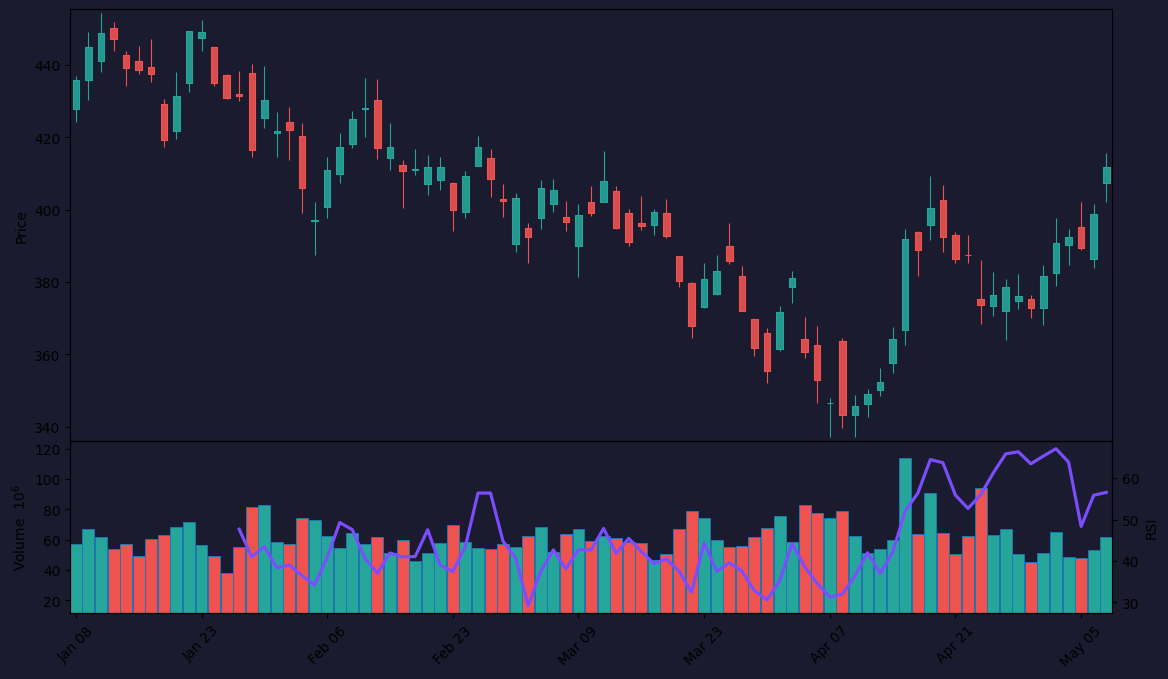
- Divergence detection. This is where ROC shines. As the chart above shows, when price makes a higher high but ROC prints a lower high, that’s bearish divergence—a classic reversal signal.
Best Settings With Specific Recommendations
For daily and intraday charts, I use:
- Length: 12 (default) for swing trades; 20 for slower, more reliable momentum shifts
- Smoothing: None. Adding SMA smoothing kills ROC’s responsiveness.
- Overbought/Oversold levels: I draw horizontal lines at +5 and -5 for most assets. For volatile stocks or crypto, bump to +10/-10.
Pro tip: On lower timeframes (1m–15m), reduce length to 6–8 to catch micro-momentum. On weekly charts, 20+ is better.
How to Use It for Entries and Exits
Entry signals:
- Zero-line cross: Wait for the close after the cross. Don’t chase.
- Divergence: Look for price making a lower low while ROC makes a higher low (bullish divergence). Enter on the first green candle after.
- Overbought/oversold bounces: If ROC hits -5 or below and then reverses up, it’s a long entry—but only if price respects a key support.
Exit signals:
- ROC crossing back below zero after a long move? Take partial profits.
- Bearish divergence forming after a strong trend? Tighten stops.
False signal filter: I never take a zero-line cross unless price itself is above/below the 50 EMA. This cuts out whipsaws in choppy markets.
Honest Pros and Cons
Pros:
- Lightning-fast response to price changes
- Works on any timeframe (1m to monthly)
- No repainting (unlike many momentum indicators)
- Zero-line cross is clean and objective
Cons:
- Very noisy in ranging markets—lots of false crosses
- No built-in overbought/oversold thresholds (you have to set them manually)
- Can give conflicting signals with other momentum tools (e.g., RSI might show oversold while ROC screams “still falling”)
Who It’s Actually For
This is for traders who:
- Want a raw momentum read without lag
- Use divergence as part of their strategy
- Trade breakouts or trend reversals
It’s not for scalpers who need high-probability, low-noise signals. And definitely not for anyone who hates manually drawing levels.
Better Alternatives If They Exist
- RSI (Relative Strength Index): Better for overbought/oversold zones due to fixed 0–100 scale. Less prone to extreme spikes.
- MACD: Smoother, with histogram for momentum and signal line cross. Better for trend-following.
- Stochastic RSI: More sensitive to short-term momentum extremes. Good for scalping.
If you only want raw momentum, ROC wins. But for most traders, RSI or MACD offers better practical signals.
FAQ
Q: Does ROC repaint?
No. It’s a fixed calculation based on historical price. What you see is what you get.
Q: Can I use ROC alone to trade?
Technically yes, but I wouldn’t. Combine it with price action (support/resistance) and a trend filter (like 50 EMA). Solo ROC will get you chopped up.
Q: Why do my ROC readings look different from someone else’s?
Different lookback lengths. 12-period ROC and 20-period ROC will give very different values. Always specify your settings.
Q: Is ROC good for crypto?
Yes, but set overbought/oversold wider (±10 to ±15). Crypto moves faster than forex or stocks.
Final Verdict
Rate of Change is a classic that’s earned its place. It’s not a holy grail—nothing is—but it’s a reliable momentum tool that pairs well with trend confirmation. If you’re already using RSI or MACD, try adding ROC for divergence spotting. It’ll sharpen your reversals.
Rating: ⭐⭐⭐⭐ (4/5)
Fast, honest, and useful—but noisy in ranges. Keep it in your toolbox, not your single-point decision maker.
Go Deeper with The Indicator Lab
🔬 The Lab Report — 93 indicators. 20 markets. One consensus verdict every 15 minutes. Stop guessing which indicator to trust.
📈 The Lab Edge — Time-Series Momentum across 166 markets. The same framework institutions use. Weekly signals to your phone.
📊 Prefer to trade on your own? Power your analysis on TradingView — the platform behind every review on this site.
Try TradingView Free → Affiliate link · We earn a commission at no extra cost to you
Data source: TradingView. This review is based on publicly available indicator information and hands-on testing. Always test indicators in a demo environment before live trading.
93 indicators is too many to watch. One is too few to trust.
Rate Of Change Review: Settings, Strategy & How to Use It is one opinion. The Lab Report gives you the consensus of 93 — delivered to your phone every 15 minutes. No chart clutter required.
Know WHAT to buy. Now know WHEN.
The Lab Edge runs Time-Series Momentum — the same framework institutions use — across 166 markets, 95% profitable in backtesting. One signal. Once a week. No indicators to configure.
🔬 Are you the developer of this indicator? Email us →