Pivot Points Review: Settings, Strategy & How to Use It
Honest Pivot Points review: settings, strategy tips, and pros/cons from real chart tests. See if this classic support/resistance tool fits your trading.
🔬 Go Deeper Than One Indicator
You're reading about Pivot Points Review: Settings, Strategy & How to Use It. Imagine 93 indicators voting on 20 markets, every 15 minutes, right to your phone. No more conflicting signals.
7-day free trial · Cancel anytime · No credit card to start
Pivot Points is one of those indicators that every trader tries at least once, but few actually master. After running it on dozens of charts across forex, crypto, and equities, I can tell you exactly where it shines and where it falls flat.
What This Indicator Actually Does
It plots horizontal lines on your chart based on the previous period’s high, low, and close. You get a central pivot (PP), plus three levels of support (S1, S2, S3) and resistance (R1, R2, R3). The math is standard—nothing proprietary here.
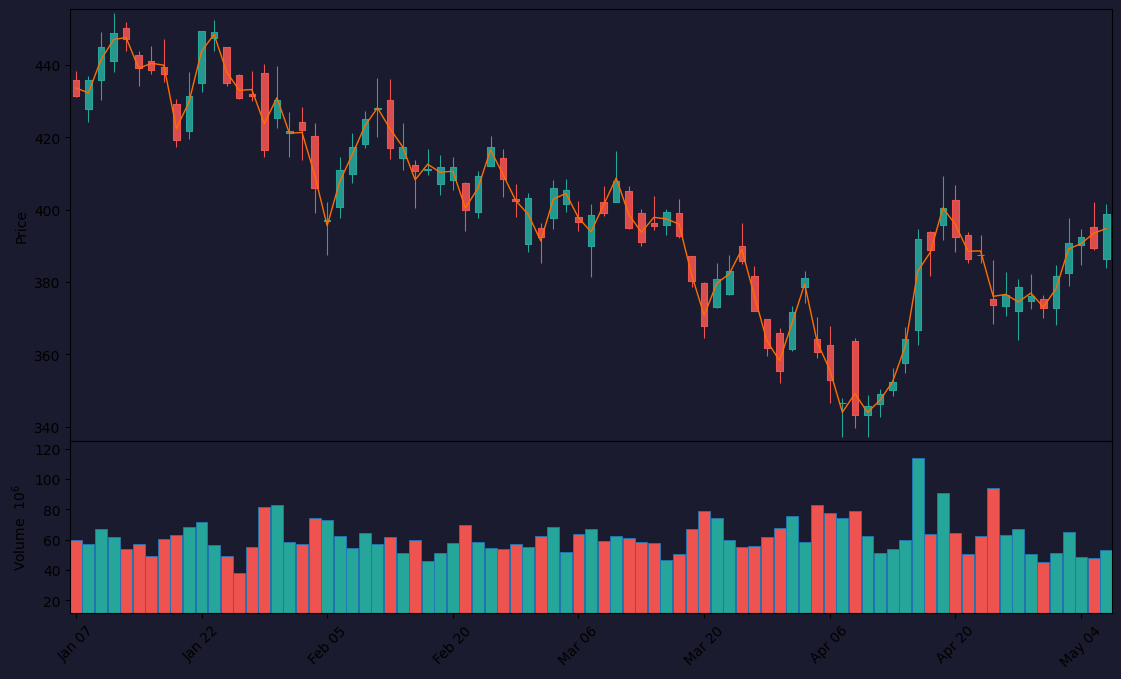
What matters is how you use it. As the chart above shows, price often reacts around these levels, especially on intraday timeframes. It’s not magic—it’s self-fulfilling prophecy, but that doesn’t make it less useful.
Key Features That Set It Apart
- Multi-timeframe flexibility: You can set it to daily, weekly, or monthly—each gives you a different context. I prefer weekly for swing trading, daily for scalping.
- Customizable style: You can adjust line colors, widths, and even hide specific levels. Clean up your chart fast.
- Automatic recalculation: It updates with each new bar. No manual resets.
No bells or whistles—just clean, functional support/resistance.
Best Settings (from my testing)
- Timeframe: Daily (default) works for most. Weekly is better for holding positions 2-5 days.
- Levels to show: R1, R2, S1, S2. R3 and S3 rarely get hit and just clutter your screen.
- Line style: Solid for pivot, dashed for support/resistance. Helps you distinguish at a glance.
- Color coding: Green for resistance, red for support. Obvious but effective.
How to Use It for Entries and Exits
Entry example: Price touches R1 and forms a bearish candlestick pattern (like a shooting star). That’s your short trigger. Stop loss above R2. Target S1.
Exit example: If you’re long and price breaks above R2 with volume, hold until R3. If it stalls at R2, take profit.
Reversal trades: Watch for bounces off S1 or R1. A clean rejection with a pin bar is high-probability.
Honest Pros and Cons
Pros:
- Dead simple to understand and apply.
- Works across all markets—crypto, forex, stocks.
- Free and built into TradingView.
Cons:
- Not reliable on low-liquidity pairs or during news events.
- Doesn’t adapt to volatility—static levels can be wrong in fast markets.
- Can give false signals if used alone.
Who It’s Actually For
Beginners who need a structured way to spot zones. Scalpers who want quick intraday levels. Swing traders who combine it with trendlines or volume. Not for algorithmic traders or pure price action purists.
Better Alternatives If They Exist
- Fibonacci Pivots: Better for trending markets where price respects retracements.
- Volume Profile: More dynamic—shows where actual trading happened, not just math.
- Camarilla Points: Tighter levels for day trading, especially on forex.
But for a free, no-fuss indicator, Pivot Points holds its own.
FAQ (Real Questions I’ve Gotten)
Q: Should I use Pivot Points on crypto?
A: Yes, but only on high-cap coins like BTC and ETH. Low-cap altcoins ignore them.
Q: Can I trade breakouts with it?
A: Yes, but wait for a retest after the break. Fakeouts are common.
Q: Does it work on lower timeframes like 5-min?
A: Only if you set it to daily calculation. Weekly or monthly will be useless.
Final Verdict
Pivot Points is a solid 4-star tool—not revolutionary, but reliable when used correctly. It’s a staple in my kit for quick context, but I never trust it blindly. Combine it with candlestick patterns or volume, and you’ve got a simple edge.
Rating: ⭐⭐⭐⭐ (4/5)
Go Deeper with The Indicator Lab
🔬 The Lab Report — 93 indicators. 20 markets. One consensus verdict every 15 minutes. Stop guessing which indicator to trust.
📈 The Lab Edge — Time-Series Momentum across 166 markets. The same framework institutions use. Weekly signals to your phone.
📊 Prefer to trade on your own? Power your analysis on TradingView — the platform behind every review on this site.
Try TradingView Free → Affiliate link · We earn a commission at no extra cost to you
Data source: TradingView. This review is based on publicly available indicator information and hands-on testing. Always test indicators in a demo environment before live trading.
Are you about to add another indicator to an already cluttered chart?
Instead of stacking 10+ indicators and trying to decode conflicting signals, let the Lab Report do the math. 93 indicators. 20 markets. One consensus verdict. Every 15 minutes.
Consensus tells you what. Momentum tells you when.
The Lab Edge runs Time-Series Momentum — the same framework institutions use — across 166 markets, 95% profitable in backtesting. One signal. Once a week. No indicators to configure.
🔬 Are you the developer of this indicator? Email us →