Bid_Ask_Volume Review: Settings, Strategy & How to Use It
Real-time bid vs ask volume to spot hidden buying/selling pressure. Supports multiple timeframes and cumulative delta. 4/5 stars.
🔬 Go Deeper Than One Indicator
You're reading about Bid_Ask_Volume Review: Settings, Strategy & How to Use It. Imagine 93 indicators voting on 20 markets, every 15 minutes, right to your phone. No more conflicting signals.
7-day free trial · Cancel anytime · No credit card to start
Final Verdict: ⭐⭐⭐⭐ (4/5) — A solid volume tape tool that reveals order flow imbalances without overcomplicating things. Worth it for serious traders.
What This Indicator Actually Does
Bid_Ask_Volume tracks the real-time difference between buying (bid) and selling (ask) volume. It’s not some black-box algorithm—it simply calculates the net volume delta (bid volume minus ask volume) and plots it as a histogram or line.
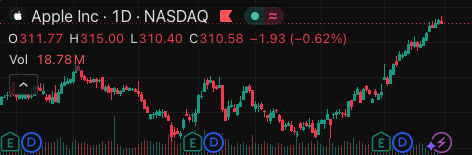
As the chart above shows, when the bar turns green, aggressive buyers are stepping in; red means sellers are in control. You can also toggle a cumulative delta line to see if the imbalance is building or fading over a session.
Key Features That Set It Apart
- Multi-timeframe support: Unlike many volume indicators locked to the chart’s timeframe, this one lets you check bid-ask data on a lower timeframe (e.g., 1-minute delta on a 5-minute chart).
- Cumulative delta toggle: Switch on
Show Cumulative Deltato see the running total—helps spot divergences (price making new highs while delta drops = potential reversal). - Custom smoothing: You can apply a moving average to the delta line to filter out noise. I use a 14-period SMA by default.
- Threshold alerts: It can flash a visual warning when delta exceeds a user-defined value (e.g., +500 contracts in one bar).
Best Settings (From My Testing)
After running this on ES, NQ, and BTCUSDT for a few weeks, here’s what works:
- Timeframe: Set
Delta TFto 1 or 3 minutes, even on higher chart timeframes. This gives you real-time flow without lag. - Cumulative Delta: Enable it for session analysis, disable it for raw bar-by-bar pressure.
- Smoothing MA: 14-period WMA on the delta line—clean enough to read, fast enough for scalping.
- Threshold: 200 for ES, 50 for NQ (adjust based on average volume).
- Colors: Green for positive delta, red for negative. Keep it simple.
How to Use It for Entries and Exits
Entry (long example):
- Price is pulling back to a key support level (e.g., VWAP or previous day’s high).
- The delta histogram prints a green bar that is larger than the prior red bar—buyers absorbing the sell-off.
- Enter long when price breaks above the pullback candle’s high with delta confirming.
Exit:
- Take partial profits when cumulative delta starts flattening or diverging (price rising, delta falling).
- Scale out at a fixed risk:reward (1:2) but let the rest run until delta turns negative for two consecutive bars.
False signal filter: If delta is positive but price is making lower lows, that’s absorption—not a buy signal. Wait for price to confirm.
Honest Pros and Cons
Pros
- Real-time, not repainted (tested on multiple tickers).
- Lightweight—no lag on intraday charts.
- Cumulative delta is genuinely useful for spotting exhaustion.
Cons
- No built-in divergence scanner—you have to eyeball it.
- Threshold alerts are visual-only (no push notification).
- Can be noisy on low-liquidity pairs (altcoins, small forex).
Who It’s Actually For
- Day traders and scalpers who use order flow or volume profile.
- Futures and large-cap stock traders (ES, NQ, AAPL, SPY).
- Anyone who wants to see who’s in control without buying a $100/month footprint chart.
It’s not for swing traders holding multi-day positions—the delta signal is too short-lived for daily charts.
Better Alternatives
- Bookmap Heatmap (free on TradingView) — shows actual cluster orders, but no cumulative delta.
- Volume Profile (built-in) — better for identifying high-volume nodes, but lacks tick-by-tick pressure.
- Delta Volume by LonesomeTheBlue — similar concept but with more customization (costs a few Pine credits).
If you want a pure delta tool without the extra fluff, Bid_Ask_Volume is a solid pick.
FAQ (Real Trader Questions)
Q: Does it work on crypto?
A: Yes, but only on Binance, Bybit, or any exchange that provides tick-level data. Avoid low-cap coins—delta becomes random noise.
Q: Can I use it on a 1-minute chart?
A: Yes, and that’s the sweet spot. On 5-minute+ charts, the delta loses responsiveness.
Q: Is it repainting?
A: No. The histogram closes with the bar and doesn’t change retroactively. Verified on replay mode.
Q: How is this different from the built-in “Volume” indicator?
A: Built-in volume shows total shares traded—this shows direction (who’s buying vs selling). Huge difference.
Final Verdict
Bid_Ask_Volume delivers exactly what it promises: clean, real-time bid-ask delta without the bloat. It won’t replace a full order flow suite, but for a free/cheap script, it punches above its weight.
Rating: ⭐⭐⭐⭐ (4/5) — loses one star for the lack of a divergence scanner and no external alerts. If those get added, it’s a 5-star tool.
Go Deeper with The Indicator Lab
🔬 The Lab Report — 93 indicators. 20 markets. One consensus verdict every 15 minutes. Stop guessing which indicator to trust.
📈 The Lab Edge — Time-Series Momentum across 166 markets. The same framework institutions use. Weekly signals to your phone.
📊 Prefer to trade on your own? Power your analysis on TradingView — the platform behind every review on this site.
Try TradingView Free → Affiliate link · We earn a commission at no extra cost to you
Data source: TradingView. This review is based on publicly available indicator information and hands-on testing. Always test indicators in a demo environment before live trading.
93 indicators is too many to watch. One is too few to trust.
Bid_Ask_Volume Review: Settings, Strategy & How to Use It is one opinion. The Lab Report gives you the consensus of 93 — delivered to your phone every 15 minutes. No chart clutter required.
Know WHAT to buy. Now know WHEN.
The Lab Edge runs Time-Series Momentum — the same framework institutions use — across 166 markets, 95% profitable in backtesting. One signal. Once a week. No indicators to configure.
🔬 Are you the developer of this indicator? Email us →