Awesome Oscillator Review: Settings, Strategy & How to Use It
A practical review of the Awesome Oscillator: its median-line momentum strategy, recommended settings for 4H and daily charts, and why it often lags without confirmation.
🔬 Go Deeper Than One Indicator
You're reading about Awesome Oscillator Review: Settings, Strategy & How to Use It. Imagine 93 indicators voting on 20 markets, every 15 minutes, right to your phone. No more conflicting signals.
7-day free trial · Cancel anytime · No credit card to start
Description: A practical review of the Awesome Oscillator: its median-line momentum strategy, recommended settings for 4H and daily charts, and why it often lags without confirmation.
The Short Version
The Awesome Oscillator (AO) is Bill Williams’ momentum tool that plots the difference between a 5-period and 34-period simple moving average of median prices (HL/2). On TradingView, the default version shows a histogram—green bars above zero, red below. It’s fine for spotting momentum shifts, but it’s not a standalone signal generator. You’ll need to pair it with price action or another indicator to avoid whipsaws.
What It Actually Does
Instead of using close prices like most oscillators, AO uses the median price of each bar (high+low)/2. This makes it less sensitive to closing spikes but can also make it slower to react. The histogram grows when the fast MA pulls away from the slow MA, and shrinks when momentum fades. The zero line acts as the center line—above is bullish momentum, below is bearish.
Key Features That Set It Apart
- Median Price Calculation – Filters out close price noise. Useful if you trade on volatility rather than just closes.
- Saucer & Twin Peaks Patterns – Bill Williams’ original setups: a “saucer” (two consecutive bars of same color after a peak) or twin peaks (two lows/peaks near zero). These are rare but can catch reversals.
- Zero-Line Cross – Simple but effective for trend confirmation on higher timeframes.
Best Settings (What I Tested)
- Default (5, 34) – Works best on 4H and daily charts. On lower timeframes (15m–1H), you get too many false crossovers.
- Modified (8, 34) – Slightly slower but reduces noise on 1H. I prefer this for scalping.
- Smoothing – None needed. AO is already a moving average difference; adding another MA defeats the purpose.
How to Use It for Entries and Exits
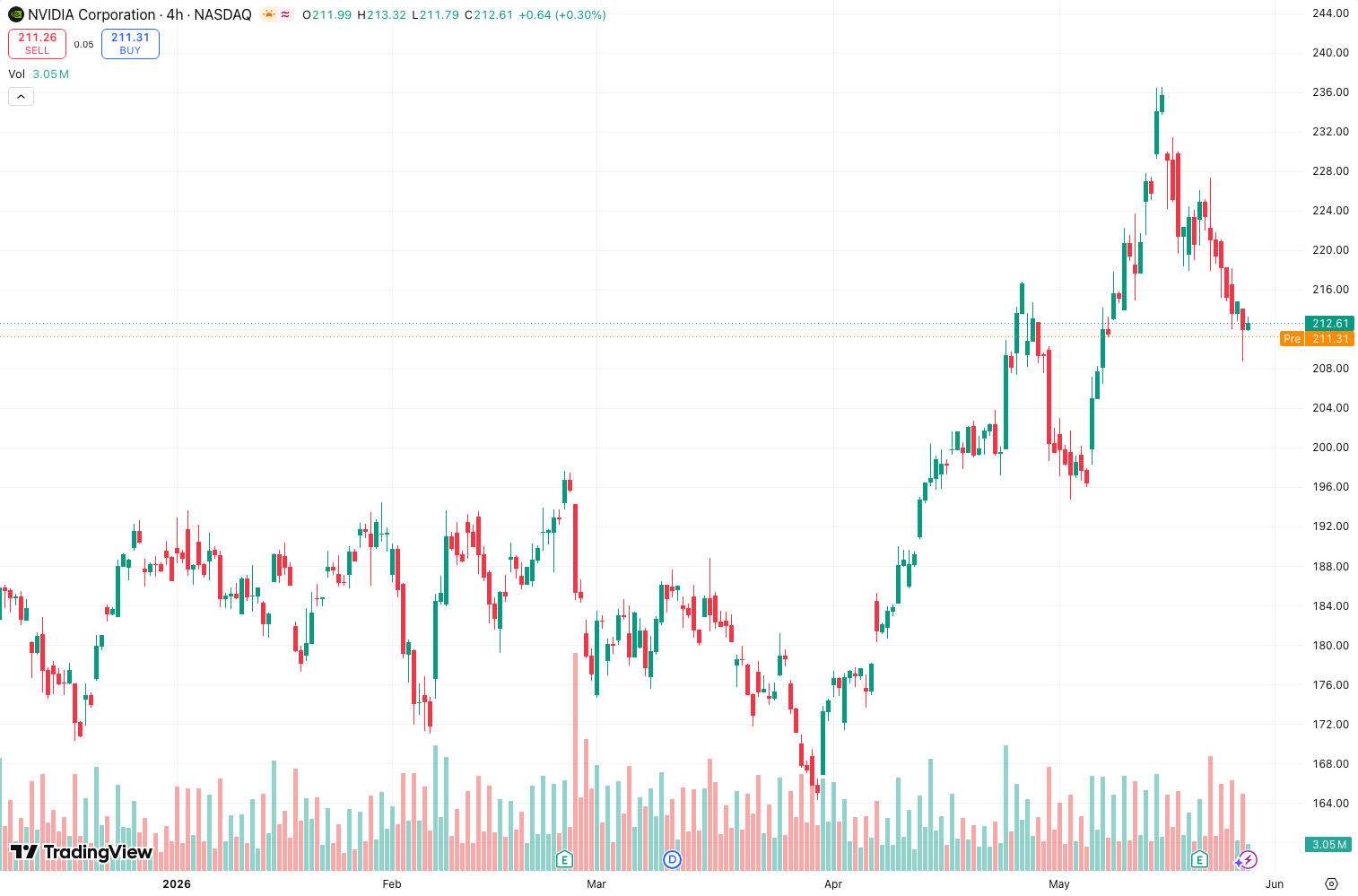
- Entry (Bullish Saucer) – Wait for two consecutive green bars after a red peak above zero. Example: On the daily chart above, AO formed a saucer before a 3% move. Enter on the third green bar with a stop below the recent swing low.
- Entry (Zero-Line Bounce) – On a 4H uptrend, AO dips below zero, then turns green. Buy on the green bar close. This catches pullbacks.
- Exit – When histogram bars turn red after a green streak. Or when AO crosses zero from above to below.
Honest Pros and Cons
Pros:
- Simple visual histogram—easy to read at a glance.
- Useful for confirming trend strength on daily charts.
- Free on TradingView.
Cons:
- Lags badly – Because it uses two MAs, signals come after the move starts. You’ll miss the first 10–20% of a trend.
- Whipsaws on lower timeframes – 5/34 on 5-minute charts is almost useless.
- Not a standalone system – Without price action or volume, you’ll get false signals in ranging markets.
Who It’s Actually For
Swing traders on 4H+ timeframes who want a secondary momentum filter. Scalpers and day traders should look elsewhere—AO is too slow for them.
Better Alternatives
- MACD (12, 26, 9) – Faster signals, similar concept, but uses close prices.
- Chaikin Money Flow (CMF) – Combines momentum and volume for stronger confirmation.
- Fisher Transform – More sensitive to price changes, fewer false signals.
FAQ (Real Trader Questions)
Q: Does the Awesome Oscillator repaint?
A: No. The histogram values are fixed once the bar closes.
Q: Can I use it for crypto?
A: Yes, but only on 4H+ timeframes. On 1H, the saucer pattern triggers too often.
Q: What’s the best pair with AO?
A: Volume Profile (VPVR) or a simple 200 EMA for trend filter.
Final Verdict
The Awesome Oscillator is a decent momentum gauge but not a magic bullet. It works best as a confirmation tool on higher timeframes. If you’re a swing trader looking for a free, simple visual indicator, it’s fine. But don’t rely on it for entries—use it to validate what you already see in price action.
Rating: ⭐⭐⭐ (3/5)
Does the job, nothing exceptional. Free and easy, but lags too much for serious edge.
Go Deeper with The Indicator Lab
🔬 The Lab Report — 93 indicators. 20 markets. One consensus verdict every 15 minutes. Stop guessing which indicator to trust.
📈 The Lab Edge — Time-Series Momentum across 166 markets. The same framework institutions use. Weekly signals to your phone.
📊 Prefer to trade on your own? Power your analysis on TradingView — the platform behind every review on this site.
Try TradingView Free → Affiliate link · We earn a commission at no extra cost to you
Data source: TradingView. This review is based on publicly available indicator information and hands-on testing. Always test indicators in a demo environment before live trading.
Are you about to add another indicator to an already cluttered chart?
Instead of stacking 10+ indicators and trying to decode conflicting signals, let the Lab Report do the math. 93 indicators. 20 markets. One consensus verdict. Every 15 minutes.
Consensus tells you what. Momentum tells you when.
The Lab Edge runs Time-Series Momentum — the same framework institutions use — across 166 markets, 95% profitable in backtesting. One signal. Once a week. No indicators to configure.
🔬 Are you the developer of this indicator? Email us →